On GitHub, navigate to the main page of the repository.
Under your repository name, click Settings. If you cannot see the "Settings" tab, select the dropdown menu, then click Settings.

In the left sidebar, under "Code, planning, and automation", click Rulesets, then click Rulesets.
Click New ruleset.
To create a ruleset targeting branches, click New branch ruleset.
Under "Ruleset name," type a name for the ruleset.
Optionally, to change the default enforcement status, click Disabled and select an enforcement status.
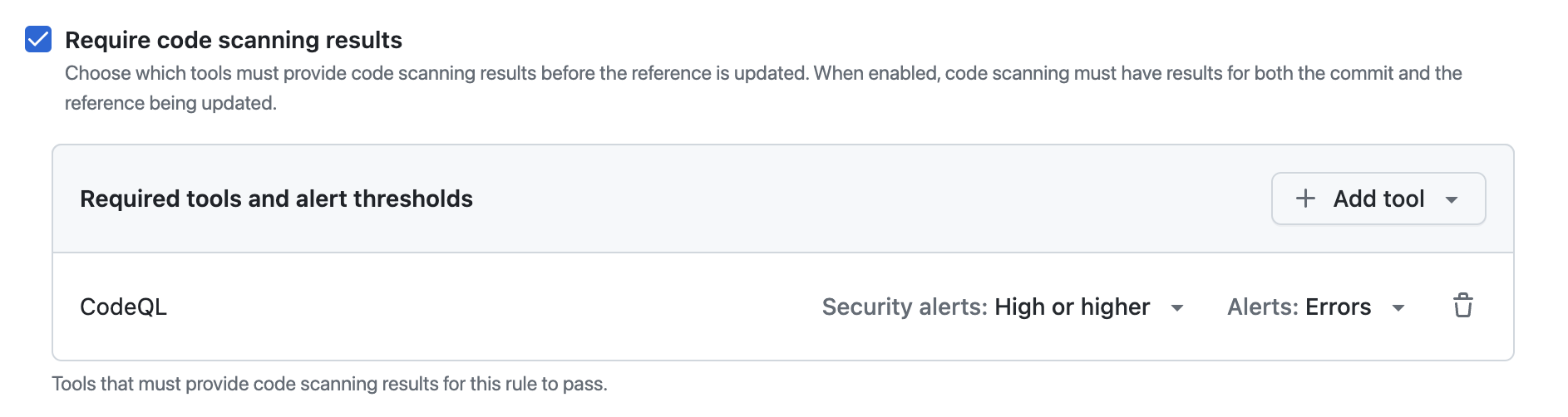
Under "Branch protections", select Require code scanning results.
Under "Required tools and alert thresholds", click Add tool and select a code scanning tool with the dropdown. For example, "CodeQL".
Next to the name of a code scanning tool:
- Click Alerts and select one of: None, Errors, Errors and Warnings or All.
- Click Security alerts and select one of: None, Critical, High or higher, Medium or higher, or All.