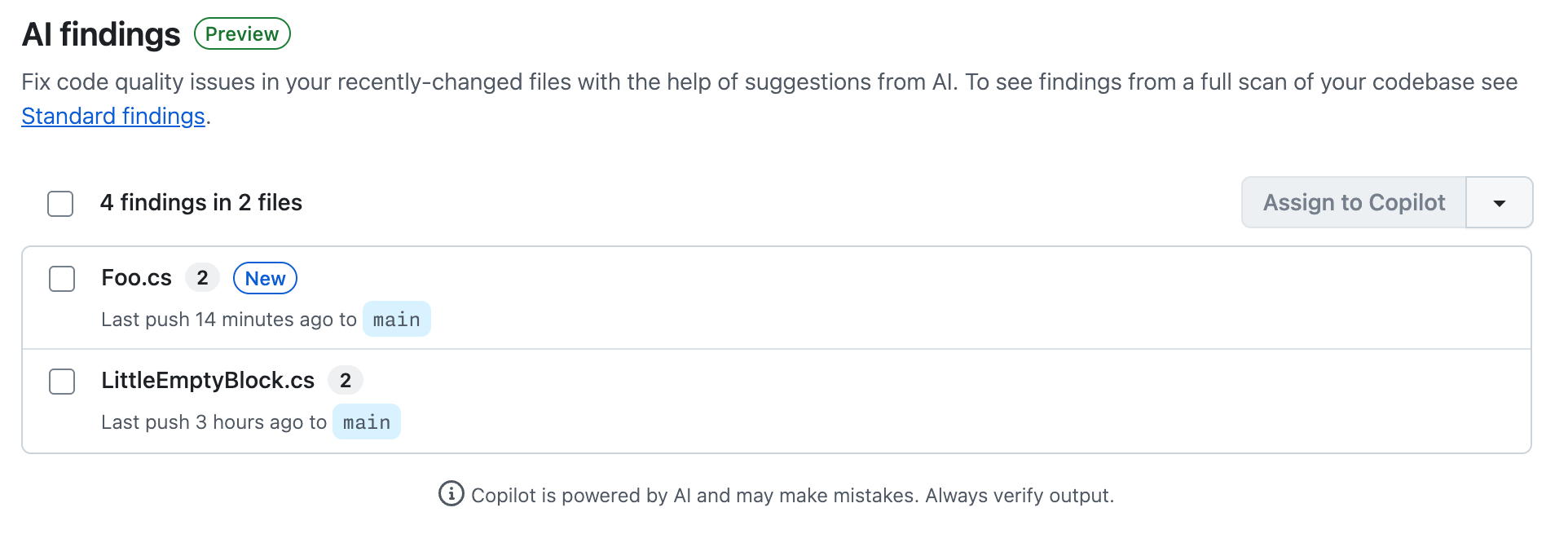
Code Quality runs an AI-powered scan on recently changed files after code is merged to your default branch. This scan uses a large language model to report up to 5 findings per file in up to 5 files—across all languages, without being limited to predefined rules.
Note
The "AI findings" page for recently changed files is currently in public preview and subject to change.
Viewing recent suggestions
Navigate to the Security and quality tab of your repository.
Click to expand Code quality, then click AI findings.
On the AI findings page, each file is listed with the number of quality problems identified and when the file was pushed to the default branch. Click a file name to view the quality problems and their suggested fixes.
Note
This view is empty if the repository is inactive or if LLM analysis could not suggest ways to improve code quality in recent pushes to the default branch.
Resolving a finding
You can delegate remediation work to Copilot or open a pull request yourself.
Delegate to Copilot
You need a Copilot license to assign work to Copilot cloud agent. Sign up for Copilot
Select the file or files you want to include for the fix, then click Assign to Copilot.
There is a delay while Copilot sets up the work. When the pull request is open and work is in progress, a banner is displayed with a link to the pull request.
Track Copilot's work:
In the pull request, the summary is updated as work progresses.
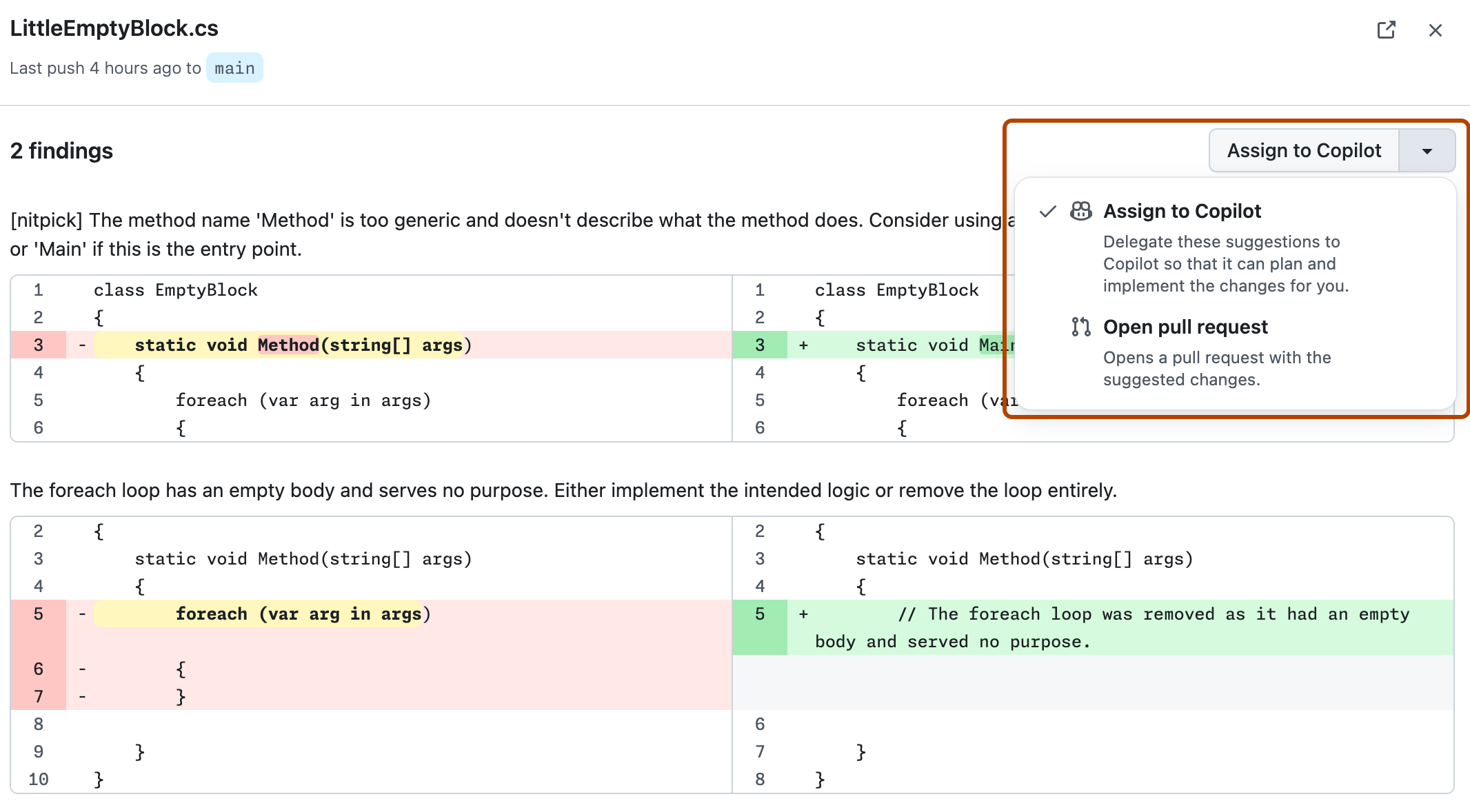
Click the file name to view details of the quality problems detected.
Review the problems and suggested fixes.
Expand the drop-down and then click Open pull request.
Click Open pull request to open a dialog of commit options.
Click Commit change to create a pull request with the fixes.
Note
When you open a pull request yourself, you can only commit fixes to one file at a time. To fix multiple files at once, you must delegate the work to Copilot.